Options
Turn thresholds and lists into settings with a default value, and use them in conditions and messages.
An option is a value of the rule that you can change without touching its checks: a threshold, a switch, a list of allowed names. Conditions compare with it, messages show it, and its default is the value the rule uses.
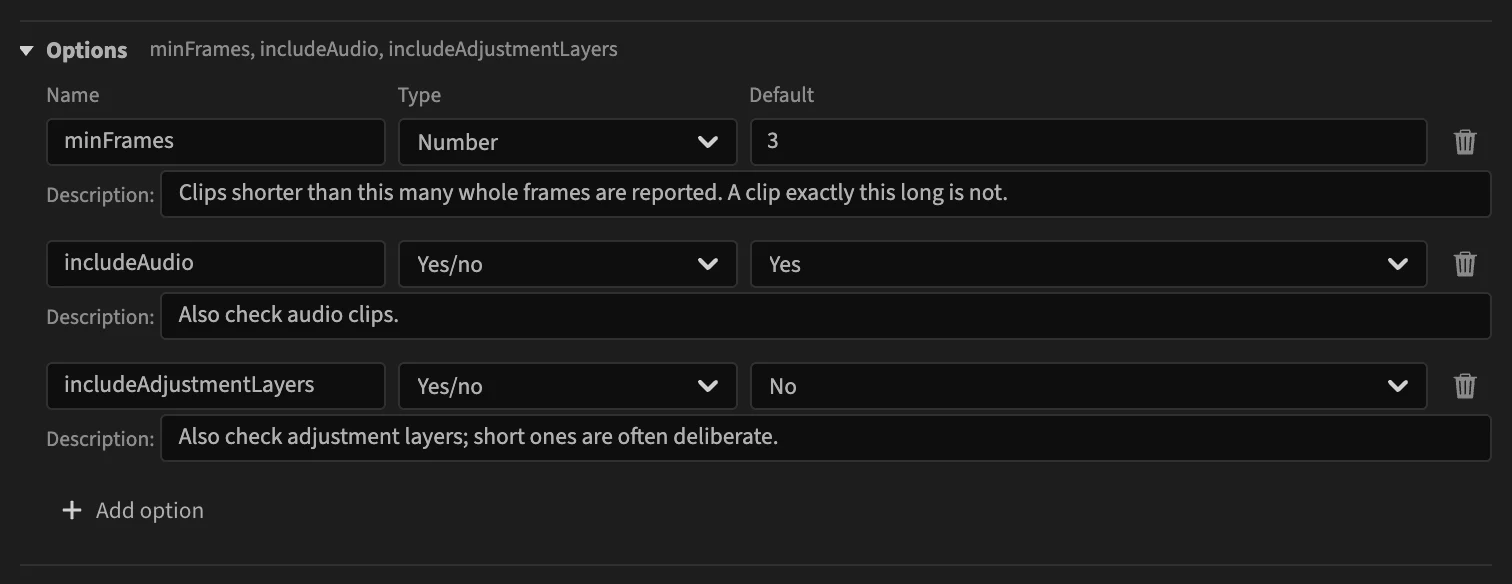
Add an option
Click Add option. A row appears with:
- Name: how conditions and messages refer to it, as
options.<name>. Use a short word without spaces, such asmaxSpeedorincludeAudio. Two options cannot share a name. - Type: what the option holds (see below).
- Default: the value the rule uses.
- Description: what the option changes, for whoever adjusts the rule later.
The trash button at the right of the row removes the option.
Types
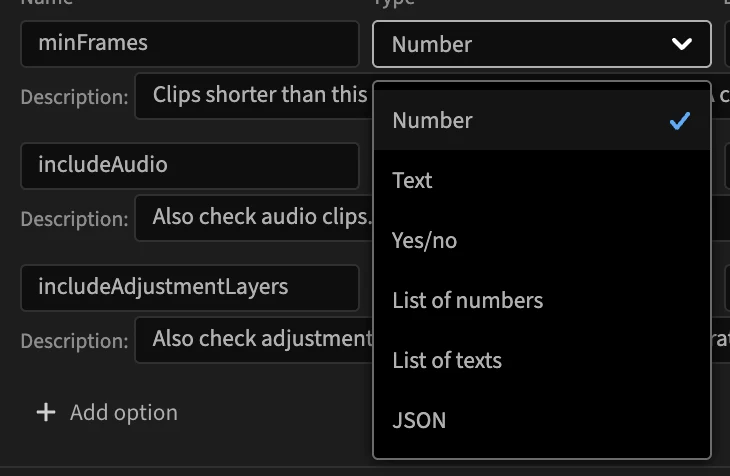
| Type | Holds | The default is entered as |
|---|---|---|
| Number | a number, such as a limit | a number. Infinity and -Infinity are accepted. |
| Text | a word or a sentence | text. |
| Yes/no | a switch | Yes or No. |
| List of numbers | several numbers, such as frame rates | a list (see below). |
| List of texts | several words, such as effect or file names | a list (see below). |
| JSON | a structured value, read by computed scopes only | JSON text. |
Changing the type keeps the default when it still fits, and resets it otherwise.
Lists
A list default shows its values as tags. Type a value in the box under them and press Enter to add it; click the × of a tag to remove it.

JSON
Some built-in rules, such as Required markers, take a JSON option: a list of requirements, each with several properties. Its default is edited as JSON text; the editor says Not valid JSON. until the text parses. The option's description says what the value must look like.
![The markers option of Required markers: type JSON, default [] in a text area, and a description of the expected requirement objects](/docs/editor/options-json.webp)
Use an option
An option is a field named options.<name>, available wherever fields are:
- In a condition, as the value: open the value list with its arrow and pick the option. It is listed with the fields of the same type, in the options group. See Conditions.
- In a message, as the placeholder
{options.<name>}, from the menu. See Messages. - In diagnostic data, to attach the threshold to every report. See Data.
A list option is used with is one of and is not one of.
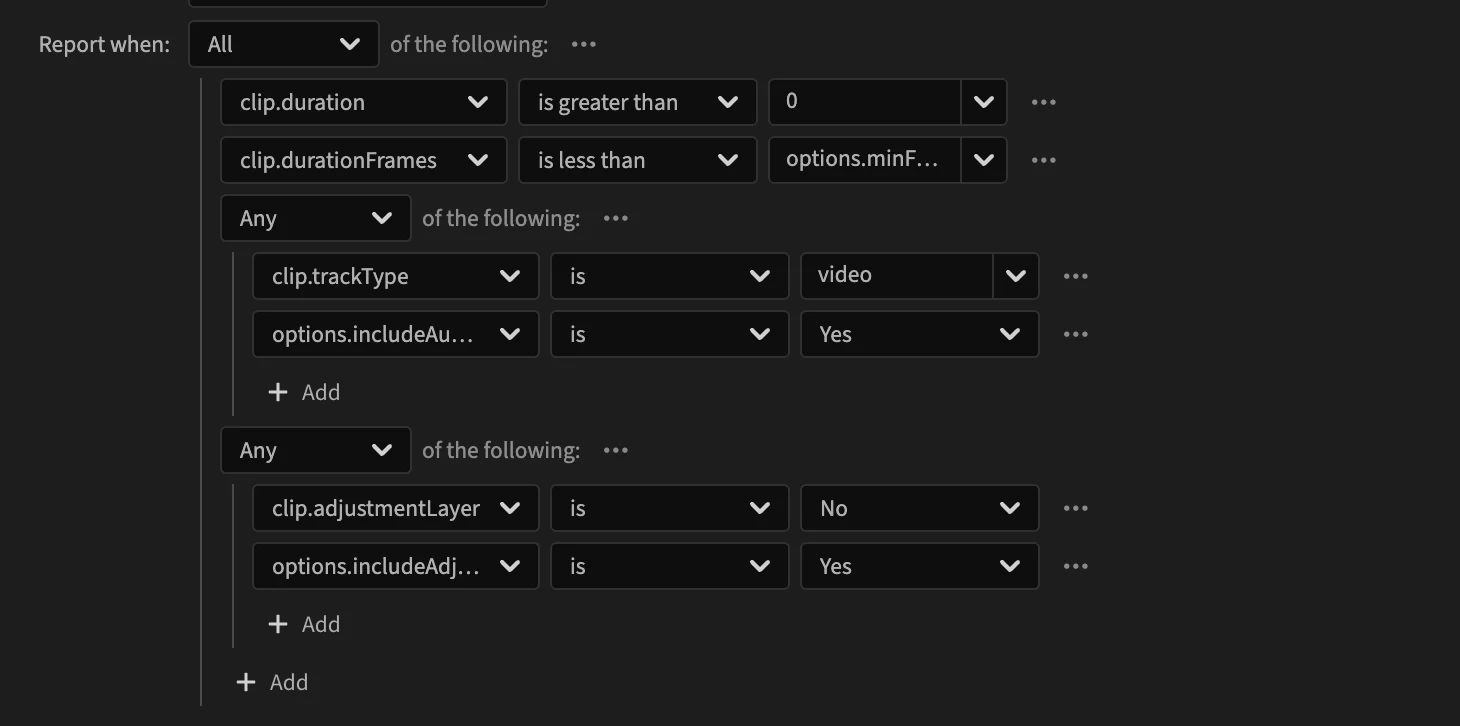
A switch for part of a rule
A Yes/no option can turn a part of the rule on or off. The built-in Tiny clips rule checks audio clips only when includeAudio is on: its condition holds for a video clip, or when the option is on.
Renaming an option
The editor does not rename the uses of an option. After renaming one, every condition, message or data entry still using the old name shows a problem, Unknown field "options.…": pick the new name there too.
In a rule file
Options are the options object of the rule file, { "type", "default", "description" } per name. The types are number, string, boolean, number[], string[] and json. See Options.