Labels
Show a value as words that depend on the value and the language, such as a marker type or "named" versus "unnamed".
A placeholder shows a value as it is: {marker.type} shows Comment, in every language, and {marker.named} shows true. A label shows words instead, chosen by the value: Comment marker "Intro", or Unnamed marker.
Labels are optional. Most rules don't need any.
The Labels section
The built-in Markers outside the work area rule has two labels:
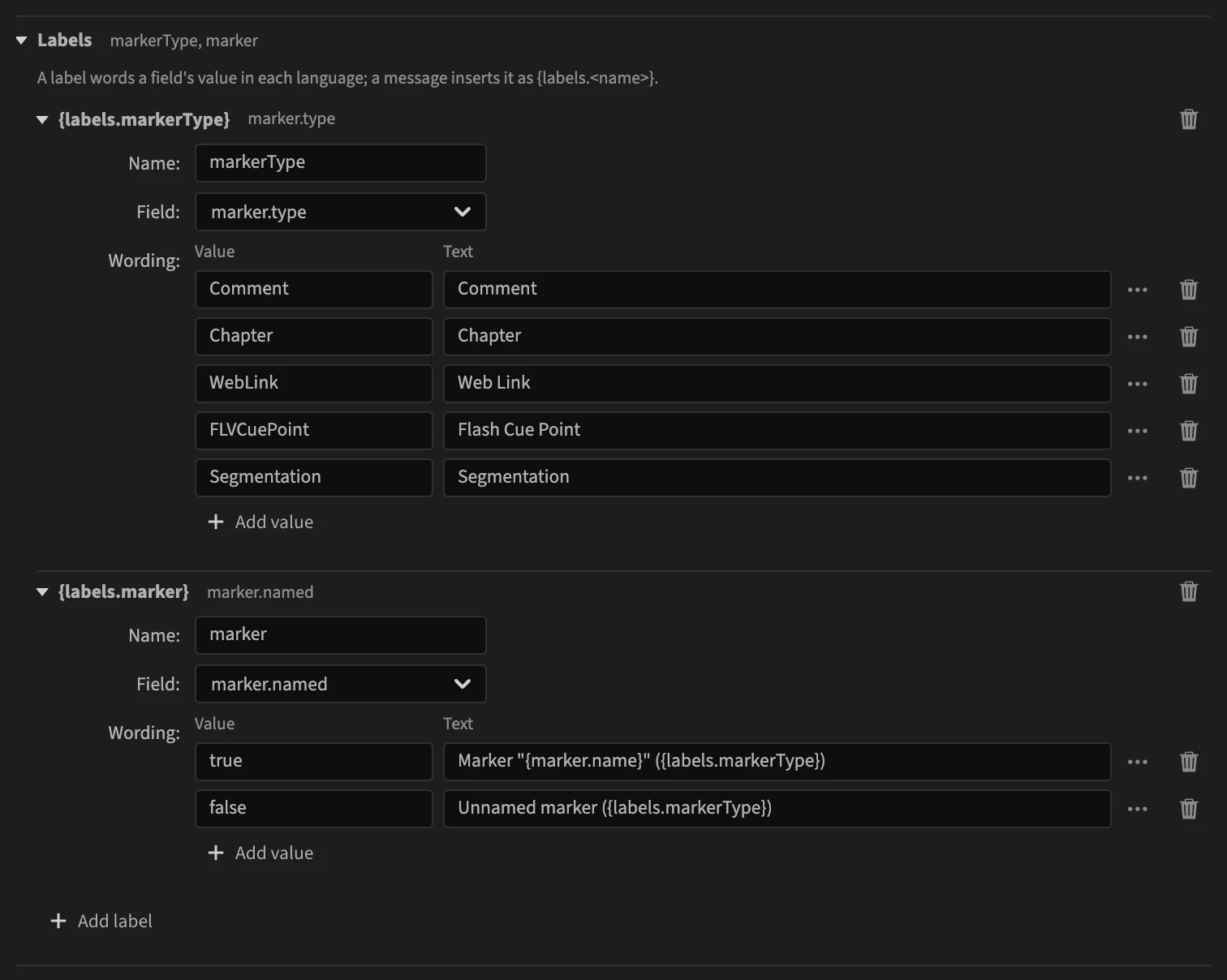
Each label has:
- a Name: messages insert the label as
{labels.<name>}, shown in the label's title; - a Field: the value that picks the words;
- its Wording: one row per value, with the Value to match and the Text to show for it.
Its message is then:
{labels.marker} at {marker.startTimecode} is after the end of the sequence ({sequence.endTimecode}).
which reads Marker "Intro" (Comment) at 00:01:10:00 is after the end of the sequence (00:01:00:00)., or Unnamed marker (Chapter) at ….
Build a label
- Click Add label, and give it a name.
- Pick its Field.
- For each value, click Add value, type the value in Value and the words in Text.
How values are matched:
- as text: the values of a yes/no field are
trueandfalse; - a value with no row shows as it is;
- a text may contain placeholders, and other labels (
{labels.markerType}above); - a text may be empty, to leave out a part of the sentence for some values;
- the … button of a row inserts a placeholder, or turns the text into plural forms.
Labels and languages
The texts of a label are edited in the panel's language, like messages, and fall back to English in the others. Translating the label is how a rule words a value in each language. See Translations.
In a rule file
Labels are the labels object of the rule file: { "field", "values" } per name. See Labels.