Conditions
Build the condition of a check from comparisons and groups — fields, operators, values, all / any / not.
The Report when row of a check is its condition: an item is reported when the condition holds for it. A condition is either one comparison, or a group of conditions.
Comparisons
A comparison is one row of three boxes that reads like a sentence: field, operator, value.

The field
The first box is the value of the item that the comparison looks at. Its list holds every field of the check's scope, grouped by what it describes (sequence, track, clip…), then the rule's options. Each field has a short description under its name.
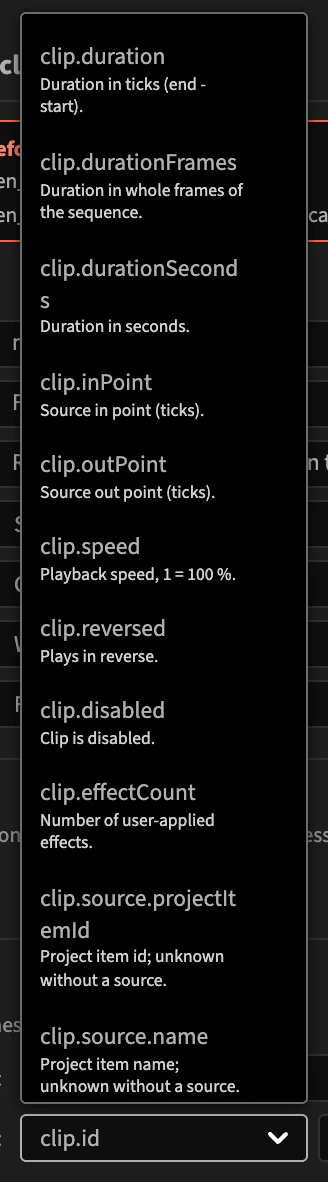
All the fields are listed in the Fields reference. Times are in ticks (254,016,000,000 per second) unless the field's name says frames, seconds or timecode: compare clip.durationFrames with a number of frames, not clip.duration.
Choosing another field keeps the operator and the value when they still fit its type, and resets them otherwise.
The operator
The second box lists the operators that fit the field's type.
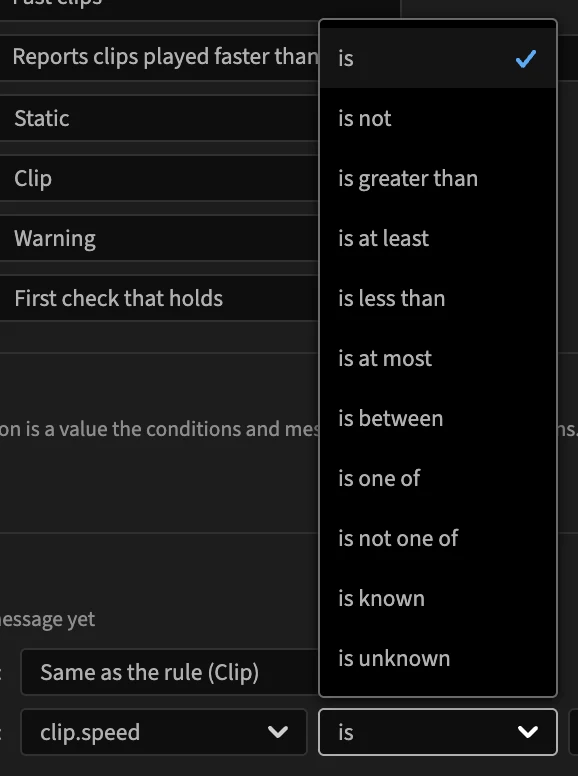
| Operator | Fields | Holds when the field… | Rule file |
|---|---|---|---|
| is | all | equals the value | equals |
| is not | all | differs from the value | notEquals |
| is greater than | numbers | is more than the value | greaterThan |
| is at least | numbers | is the value or more | greaterThanOrEqual |
| is less than | numbers | is less than the value | lessThan |
| is at most | numbers | is the value or less | lessThanOrEqual |
| is between | numbers | is between two values, both included | between |
| is one of | numbers, texts | is one of a list of values | in |
| is not one of | numbers, texts | is none of a list of values | notIn |
| contains | texts | contains the text (case matters) | contains |
| does not contain | texts | does not contain the text | notContains |
| matches | texts | matches a regular expression | matches |
| is known | all | has a value | exists |
| is unknown | all | has no value | notExists |
Yes/no fields offer is, is not, is known and is unknown.
The value
The value box changes with the operator.
A single value (is, is greater than, contains…): type a number or a text. For a number field, the box only accepts a number; Infinity and -Infinity are accepted too (a silent audio clip has a volume of -Infinity dB).
Yes or No, for a yes/no field:

Two values, for is between. Both bounds are included: 50 and 150 match 50 % and 150 %.

A list, for is one of and is not one of. Type a value and press Enter to add it; click the × of a value to remove it.

A regular expression, for matches. ^TEMP matches names that start with TEMP; \d is a digit; $ is the end of the text. The editor reports an invalid expression.

Nothing, for is known and is unknown.

Compare with a field or an option
Instead of typing a value, you can compare with another field of the same item, or with one of the rule's options. Click the arrow of the value box: the list shows the fields and options of the same type. Pick one, and the comparison uses its value for each item.

For is one of, the list offers the list options of the rule (a List of texts option for a text field).
Typing in the box again replaces the field with what you type.
Groups
To combine conditions, put them in a group. A group is a row with its kind and of the following, and its conditions indented under it.

| Group | Holds when | Rule file |
|---|---|---|
| All of the following | every condition in it holds (and) | all |
| Any of the following | at least one condition in it holds (or) | any |
| Not the following | its one condition does not hold | not |
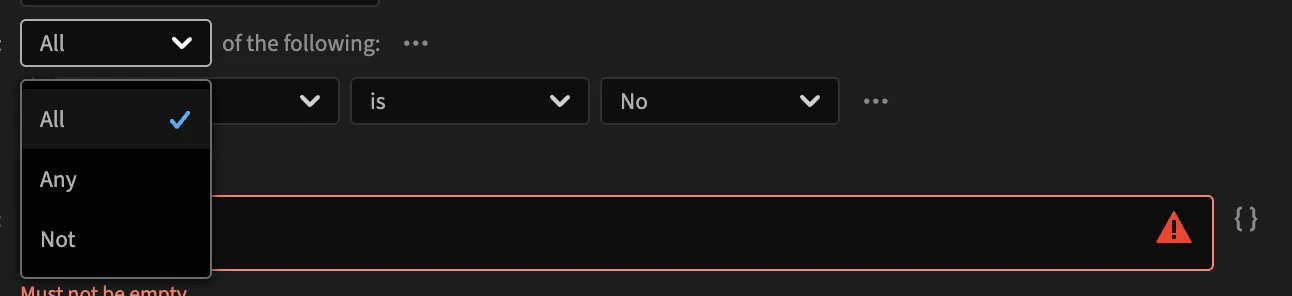
Change a group's kind with its first box. Switching between All and Any keeps its conditions; switching to Not keeps the first one only.
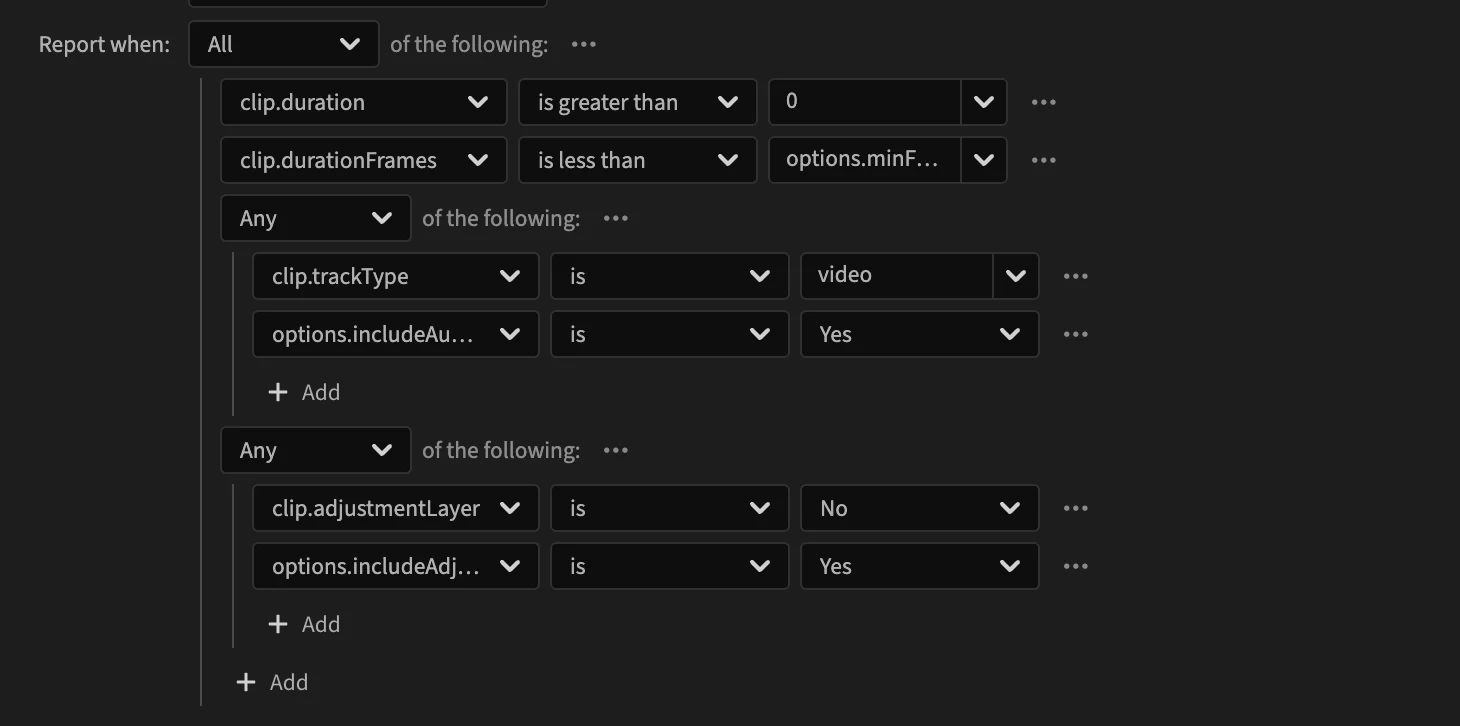
Groups nest: an Any inside an All reads "this, and (that or that)". The built-in Tiny clips rule nests two:
Add, wrap and remove
+ Add, under a condition or at the end of a group, adds to it:
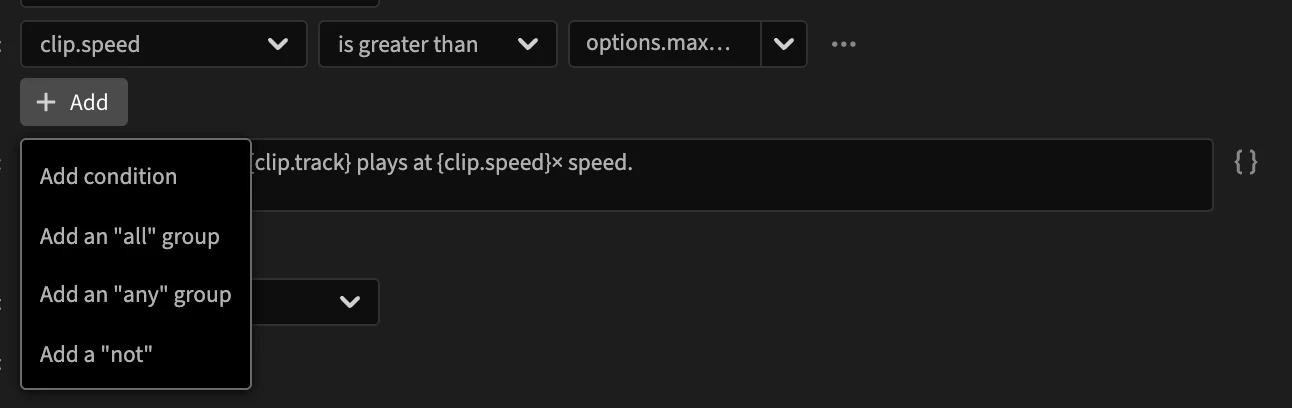
- Add condition: a new comparison.
- Add an "all" group, Add an "any" group: a new group, with one comparison in it.
- Add a "not": a comparison inside a Not.
When the condition is a single comparison, adding turns it into an All group holding the comparison and the new condition.
The … button at the end of each row has more:

| Action | What it does |
|---|---|
| Wrap in a group | Puts the row inside a new All group, to add conditions next to it. Change the group's kind afterwards if needed. |
| Keep only its first condition | Replaces a group with its first comparison. |
| Remove condition | Removes the row, and everything in it for a group. The top condition of a check cannot be removed, only changed. |
Unknown values
Some fields can have no value: an audio clip has no scale, a clip without media has no media path, an in point may not be set. The Fields reference marks these with a ? type.
A comparison on a field without a value is false, whatever the operator, except is known and is unknown. So clip.scale is less than 50 never reports an audio clip, and neither does clip.scale is not 100.
The trap: Not
Not turns a false comparison into true. Not clip.scale is 100 reports every audio clip, since they have no scale. Prefer positive comparisons (is less than the minimum, or is greater than the maximum) over Not is between, or add clip.scale is known to an All group.
In a rule file
A comparison is { "field", "operator", "value" }, and groups are { "all": [...] }, { "any": [...] } and { "not": ... }; the table above gives each operator's name. See Conditions and Operators.