Checks
What a check holds, how several checks combine, and how to run a check on another scope or point it elsewhere in the timeline.
A check is one reason to report: a condition, and the message shown when it holds. Every rule has at least one.
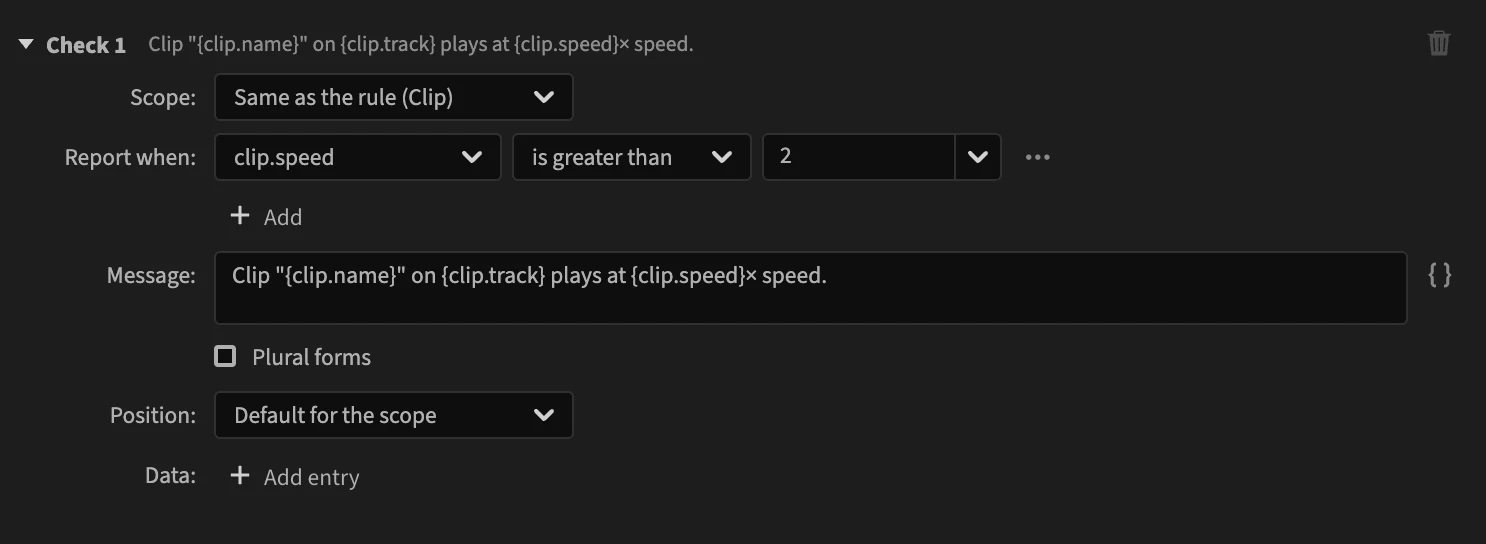
Click Add check to add one. Each check is titled Check 1, Check 2… with its message at the right of the title; click the title to fold it. The trash button removes a check, except the last one: a rule needs a check.
What a check holds
| Row | What it does | Page |
|---|---|---|
| Scope | The items the check runs on. Same as the rule by default. | below |
| Report when | The condition: when it holds for an item, the item is reported. | Conditions |
| Message | What the panel shows for the item. | Messages |
| Position | Where the report points in the timeline. | below |
| Data | Values attached to this check's reports. | Data |
Several checks
A rule has several checks when it reports for different reasons, or words two situations differently. The built-in Subframe video edits rule has five: a clip that starts between two frames, one that ends between two frames, one that does both, and the sequence's in and out points.
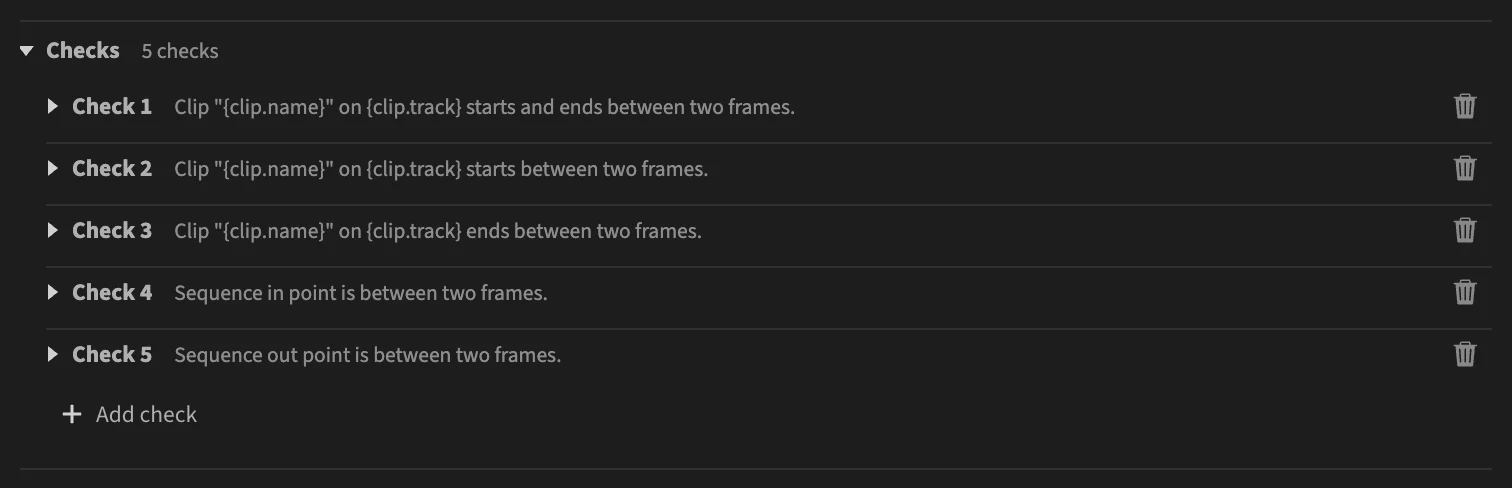
How they combine depends on Matching, in the Rule section:
- First check that holds: the checks are tried from top to bottom, and only the first that holds reports. Put the most specific check first.
- Every check that holds: each check that holds reports, so one item can get several reports. Subframe video edits works this way, and its conditions exclude each other where needed: "starts between two frames" also requires that the clip ends on a frame.
There is no condition shared by all the checks: when every check needs the same condition (an enabled clip, say), add it to each.
Scope
A check runs on the rule's scope unless you choose another one. Pick Same as the rule to follow the rule's scope, or any other scope.
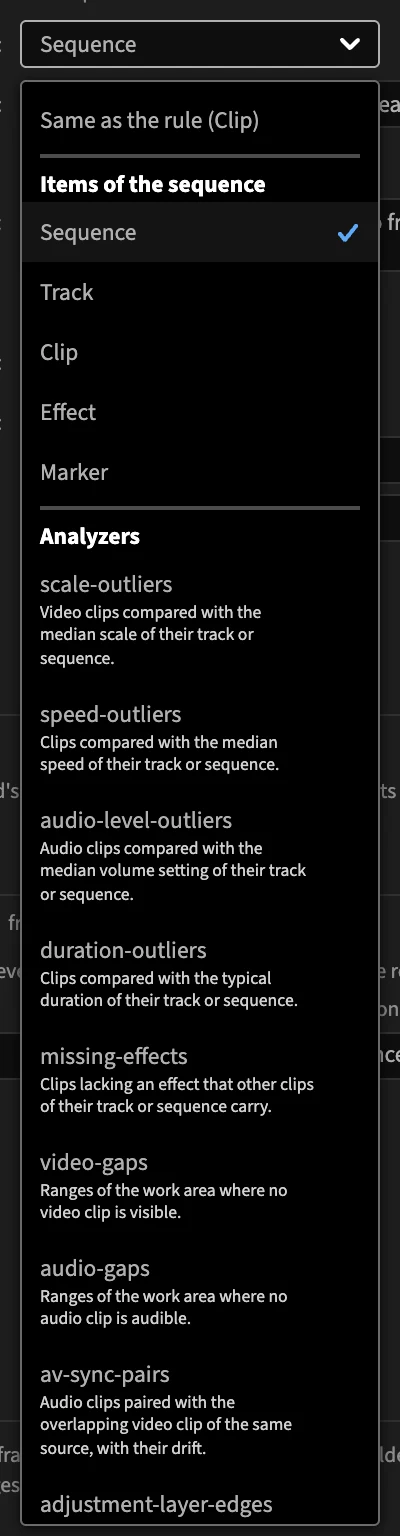
The last check of Subframe video edits runs on the Sequence while the rule runs on clips: it reads sequence.outPoint to report the sequence's out point.
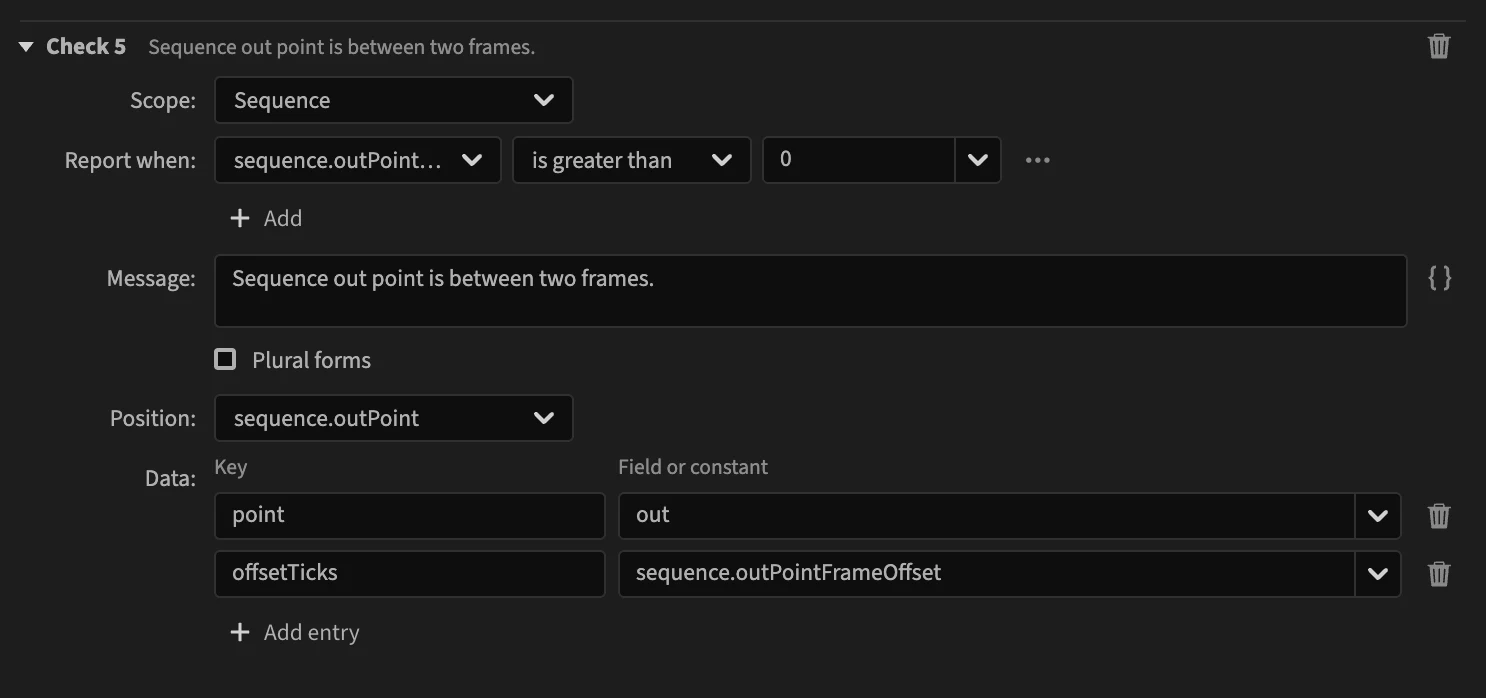
The condition, message, position and data of a check use the fields of the check's scope. The rule's own diagnostic data must make sense in every check's scope.
Position
Where the report points in the timeline: clicking it in the panel moves the playhead there.
Default for the scope is the start of the clip for clip and effect checks, and the start of the marker for marker checks. Track and sequence checks have no default position. To choose one, pick a number field that holds a time, such as track.firstClipStart (the built-in Muted tracks rule) or sequence.outPoint.
In a rule file
Checks are the checks list of the rule file; each has condition, message, and optionally scope, location (the position) and data. See Checks.